


During relocation, your laptop becomes your lifeline. Recent workforce data shows 72% of professionals rely on one primary device during a move. The best laptops for relocating professionals are not chosen for sentimental reasons. For survival reasons. It’s how you find apartments, manage banking, and join that 8 am call from an empty apartment before the furniture arrives. A MacBook Pro starts around $1,599, while strong Windows laptops range from $900 to $1,400, making cost part of the relocation decision.
We see this at Relo.AI constantly. Professionals reach out about housing, tax optimization, shipping logistics, visa timelines, and then somewhere at the bottom of a long email: “Oh, quick question, should we get a new laptop before the move?”
Short answer – almost always yes. But which one? Most reviews assume a “desk” and a stable internet connection. During relocation, you work from lounges, dim rentals, hotel shelves, and crowded coffee shops.
That changes everything about what “best laptop” actually means.
Forget Benchmarks. Here’s What Actually Matters When You’re Between Homes.
Most laptop reviews focus on speed tests and synthetic scores. However, relocation changes the criteria entirely. Stability, portability, and global usability matter more than raw performance. The priorities shift from specs to survival.

Subscribe for free and get proven relocation and travel strategies, personalized support, valuable rewards, and trusted reviews for every move.
Your email has been added to our list.
Here’s what actually counts during a move and why each factor carries more weight than marketing numbers –
Battery Life – The Single Most Important Thing
Six-hour flight to the new city. Presentation due for the new team. Laptop battery starts dying at hour three. No outlet at the seat. The flight attendant gives that apologetic shrug. As a result, three hours of staring at a dead screen.
In reality, this happens far more than it should.
Therefore, anything under 10 hours of real-world battery is a dealbreaker for someone mid-relocation. Ideally, the sweet spot is 15+ hours. Even so, in early 2026, only a handful of laptops consistently deliver that.
Weight – Your Shoulders Already Hate You
Relocations are physically brutal. For example, hauling suitcases through airports. Then, carrying boxes up stairs because the elevator is broken. After that, I walked six blocks to the temporary apartment because the taxi could not find parking. Now, adding a 5-pound laptop to that backpack, which is why the best laptops for relocating professionals must stay lightweight.
So, under 3.5 pounds. That is the line.
Durability – Because Things Get Dropped
One of our clients had a laptop bag slide off a stack of moving boxes onto the tile. The ThinkPad inside. Barely a scratch. By contrast, a flimsy plastic ultrabook would have made it a very expensive afternoon. Therefore, aluminium unibody or MIL STD 810H military grade certification is non-negotiable when your laptop lives in bags and boxes for weeks.
Webcam Quality – First Impressions with New Colleagues
First week at the new company. You are on camera all day. Meanwhile, the background is an empty apartment, moving boxes, maybe a mattress on the floor. Therefore, 1080p is the minimum. In addition, 12MP cameras with auto framing are worth it because your “desk” keeps changing.
Warranty That Actually Works in Your New Country
This is the one everyone forgets. Buy a laptop in Chicago, then move to Berlin. Does the warranty follow? With Apple, mostly yes, since AppleCare+ works globally. Meanwhile, Dell offers international ProSupport if set up properly, and Lenovo’s coverage varies by region.
So figure this out before the move, not after the screen cracks in your new apartment.
Ports – Every Workspace Looks Different
A coworking space in Austin has USB-C monitors. Meanwhile, the temporary apartment in London has an old HDMI TV doubling as a second screen. The client’s conference room, however, who knows? Therefore, USB-C, HDMI, Thunderbolt. Real ports on the actual laptop.
As a result, the fewer dongles rattling around in your bag, the better.
The MacBook Pro Picks (And Why They Keep Winning for Relocators)
Full transparency here. However, there are legitimate reasons to go with Windows, and we will cover those right after this section. Still, when someone at Relo.AI asks about the best laptops for relocating professionals, the MacBook Pro comes up first almost every time.
Not out of brand loyalty, but rather out of practicality –
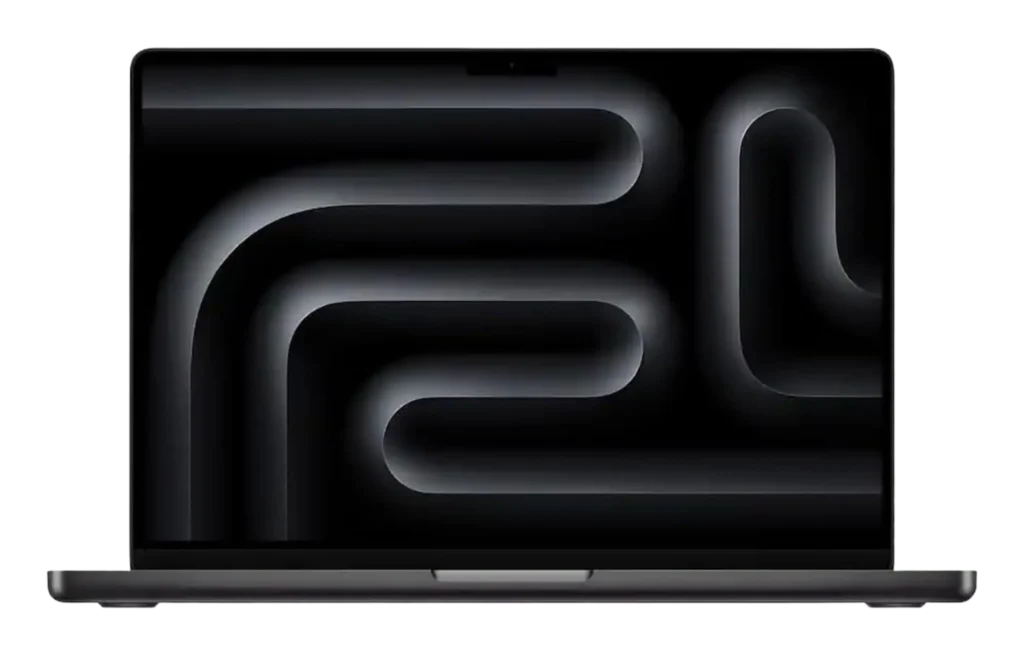
MacBook Pro 14-Inch, M5 Chip – The Default Recommendation
If we had to pick one laptop for a professional about to relocate, no context, choose one, this is it.
The M5 chip launched in October 2025 with a 10-core CPU, 10-core GPU, and updated Neural Engine. As a result, everyday work such as Docs, Zoom, Slack, Figma, and Spreadsheets runs effortlessly.
However, the battery is the real reason. Rated at 24 hours, real-world use delivers around 16 to 18 hours. Therefore, it covers a full workday and evening without a charger, which becomes critical between homes and cities.
In addition, it includes Thunderbolt 4, HDMI, SD card slot, MagSafe, and a strong 12MP camera that keeps you framed even on a temporary setup.
At 3.4 pounds with 16GB standard RAM, it handles most professional workloads comfortably.
Related – 15 Best Laptops for Laptops in 2026
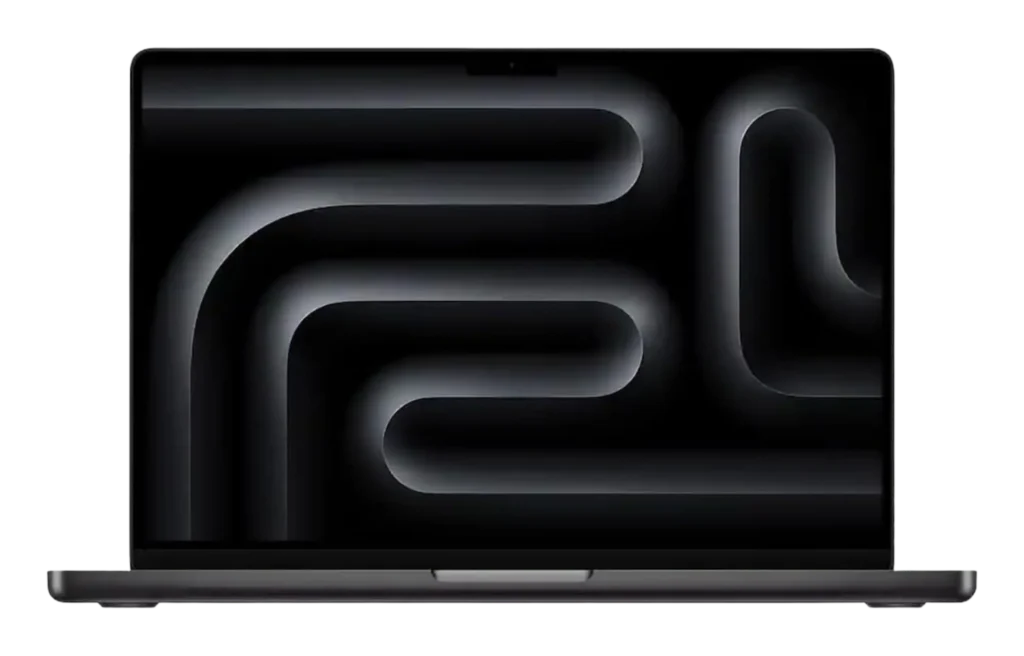
MacBook Pro 16-Inch, M4 Pro or M4 Max – For the Heavy Lifters
Most relocating professionals do not need this. However, let’s get that out of the way. This is for video editors, 3D artists, software engineers compiling massive projects, and audio producers who cannot afford to slow down during a move.
The M4 Max goes up to 128GB unified memory, which is, frankly, excessive for a laptop. In addition, the 16-inch screen is stunning, and the built-in speakers outperform most Bluetooth setups. Therefore, while working from temporary housing without a full desk setup, the larger display and stronger audio matter more than expected.
The catch, however, is nearly 5 pounds. As a result, you will feel it after a long day of airports and taxis. For that narrow group of power users, though, it still earns its place among the best laptops for relocating professionals.
Why MacBook Makes Sense for People Who Move
First, the USB-C charger works everywhere. In fact, 100 to 240 volts in any country, just swap the plug shape. In addition, AppleCare coverage is global. Resale value also stays high, which matters because relocation plans change often (we see this constantly).
Moreover, for those choosing among the best laptops for relocating professionals, the Apple ecosystem, including AirDrop, iMessage syncing, and copy and paste across iPhone and Mac, may sound minor. However, while juggling dozens of tasks mid-move, those small conveniences compound into real time savings.
Windows Laptops That Actually Survive a Relocation
Alright. Windows. However, this will not be some half-hearted Windows is OK too section. Instead, there are legitimate cases where Windows makes more strategic sense.
In fact, for certain workflows and corporate environments, it can be the stronger choice –
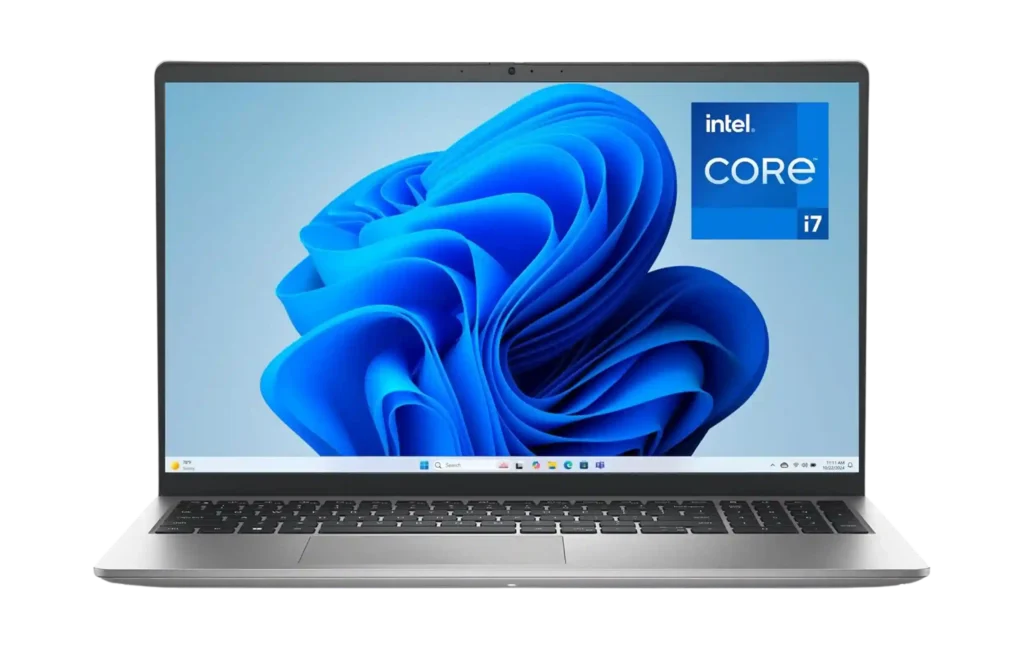
Dell XPS 15 (2025) – The One That Gives MacBook Actual Competition
Dell’s XPS line has rivalled the MacBook Pro for years. In fact, it is a strong contender. The 2025 model runs Intel Core Ultra 9 chips, and the optional 4K OLED display stands out. Moreover, the aluminium body feels solid and intentional.
In addition, the 16:10 aspect ratio gives more vertical space for documents and spreadsheets. As a result, returning to 16:9 feels tight.
Battery life sits around 10 to 13 hours. Good for Windows. However, it still trails the MacBook. Where the XPS wins for international relocators is Dell’s ProSupport, which offers next business day on-site repairs in most countries.
Consequently, for those choosing among the best laptops for relocating professionals, support can come directly to your door, which is not always possible outside major metro areas with Apple.
Lenovo ThinkPad X1 Carbon – The Corporate Transfer Special
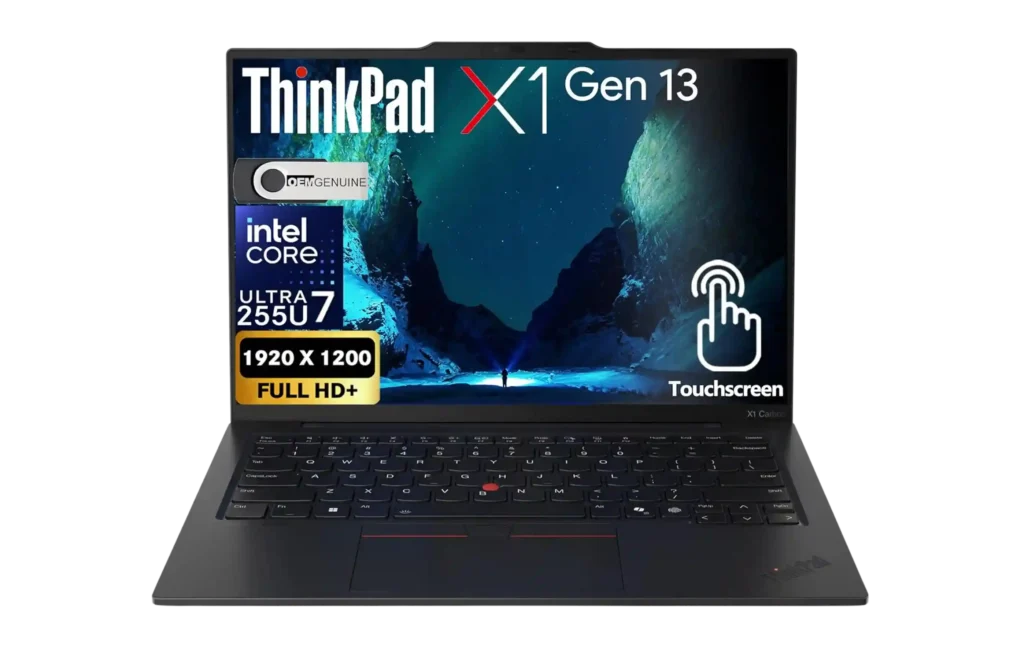
There is a joke in corporate relocation that no matter the country, the ThinkPad X1 Carbon appears on the approved list. There is a reason. It fits the life of a corporate transferee.
First, the keyboard stands out. On a wobbly table or airport seat, it handles ten-hour typing days with deep travel and strong feedback. As a result, fingers do not ache after long sessions.
It weighs just 2.48 pounds and carries MIL STD 810H certification, tested against drops, vibration, heat, and cold.
Moreover, the quad mic array with AI noise cancellation performs impressively. Clients have taken calls from noisy cafes during relocation, and the other side assumed they were in a quiet office. That is technology that earns its place.
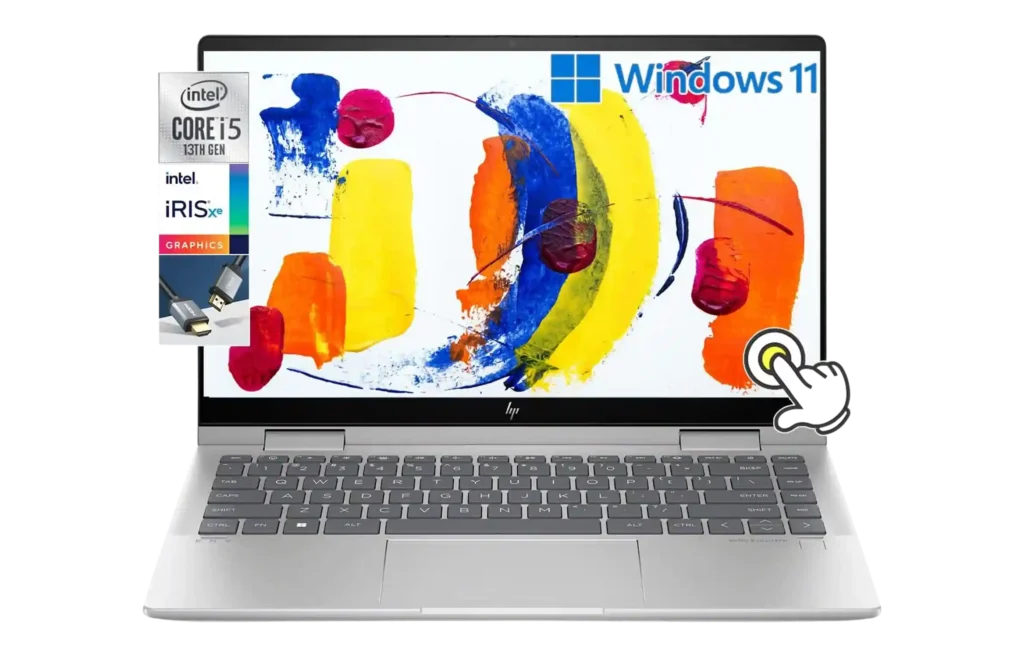
HP Envy x360 14 – For When the Workspace Changes Every Single Day
The 360-degree hinge sounds gimmicky, right? That was our assumption, too. However, we watched a client use one during her first month in Singapore. Regular laptop mode at coworking spaces. Meanwhile, the tent mode is on the flight over. Then flat as a tablet for apartment hunting on the train. Later, propped up on a kitchen counter for video calls.
In addition, the OLED display is striking. The webcam auto frames faces. The aluminium and brass body looks premium. The battery lasts about 13 hours. It may not be the best at any single thing, yet it may be the most adaptable device among the best laptops for relocating professionals available right now. And adaptability, ultimately, defines a successful relocation.
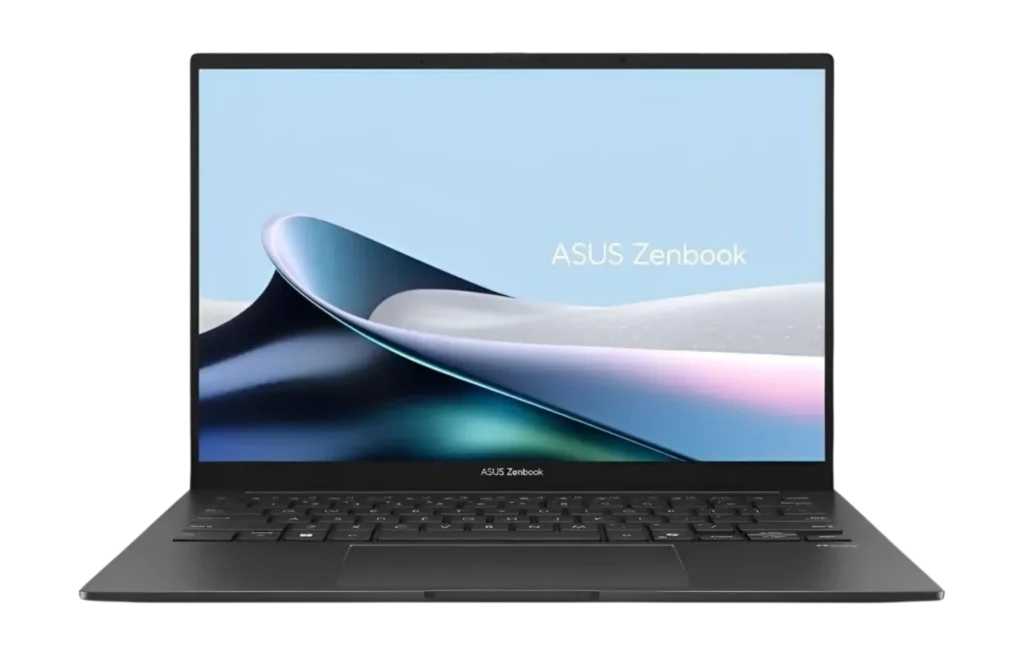
ASUS ZenBook 14 OLED – When the Move Already Ate the Budget
Relocations are expensive. In fact, most people underestimate the cost. Deposits, temporary housing, shipping, eating out, and unexpected fees add up fast. Therefore, when evaluating the best laptops for relocating professionals, another major laptop expense may not feel practical.
However, the ZenBook 14 OLED fits that reality. It delivers a sharp OLED display, solid performance for daily work, and stays under 3 pounds.
Is it as tough as a ThinkPad or as refined as a MacBook? No. Yet for emails, documents, video calls, and heavy browsing, it performs reliably.
So save the extra money for the apartment. That is often the smarter move.
Subscribe for free and get proven relocation and travel strategies, personalized support, valuable rewards, and trusted reviews for every move.
Your email has been added to our list.
When Windows Is the Smarter Call
Three scenarios. First, the employer mandates Windows. In that case, do not fight that battle while managing a move. Second, the destination has no Apple Stores. In many parts of Africa, South America, and Southeast Asia, Dell and Lenovo service centers are common, whereas official Apple support is limited.
Therefore, if a screen cracks in Lagos or Lima, Dell can send a technician, while Apple support may not be nearby. Third, specific software runs only on Windows.
For example, some government portals, engineering tools, and corporate VPN clients still struggle with macOS. So know the tools before choosing the platform.
The Quick Comparison of the Best Laptops for Relocating Professionals (For the Skimmers)
Some of you scrolled straight here. That is totally fair. It breaks down the essentials like performance, portability, battery life, and value without the fluff. Use it to spot the obvious winner for your workflow in under a minute.
So, here’s the table –
| MacBook 14” M5 | Dell XPS 15 | ThinkPad X1 | Envy x360 | |
| Price | $1,599 | ~$1,299 | ~$1,700 | ~$1,399 |
| Weight | 3.4 lbs | ~4.2 lbs | ~2.48 lbs | ~3.0 lbs |
| Real Battery | 16–18 hrs | ~10–13 hrs | ~12–15 hrs | ~10–13 hrs |
| Screen | 14.2” XDR | 15.6” OLED opt. | 14” OLED | 14” OLED |
| Tough Enough? | Aluminum. Yes. | Aluminum. Yes. | Military rated. Very. | Premium. Mostly. |
| Warranty Abroad | Global AppleCare | Dell ProSupport | Lenovo Intl. | HP Care Pack |
| Camera | 12MP. Excellent. | 1080p. Fine. | 1080p + AI mic | 5MP. Good. |
| Best For | Most relocators | Creatives on budget | Corporate moves | Flexible nomads |
Also read – 12 Best Touch Screen Laptops for Business and Travel in 2026
Accessories That Actually Matter During a Move
The laptop is half the equation when choosing the best laptops for relocating professionals. However, here is the other half, the elements that ultimately determine the difference between a functional mobile workspace and a frustrating one –
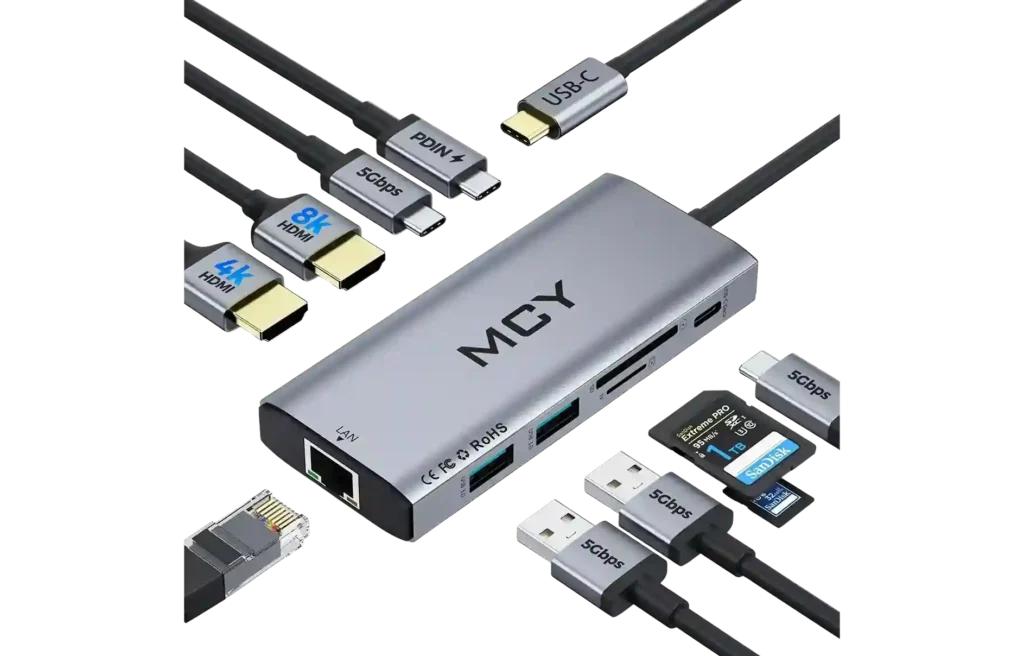
USB-C Hub – $50 to $150
Walk into a coworking space. Monitor uses HDMI. The laptop only has USB-C. The meeting starts in 4 minutes. This exact scenario has played out with at least a dozen of our relocation clients. The Anker 341 Hub is cheap and reliable. The CalDigit TS4 is the premium option. Either way, don’t pack without one.
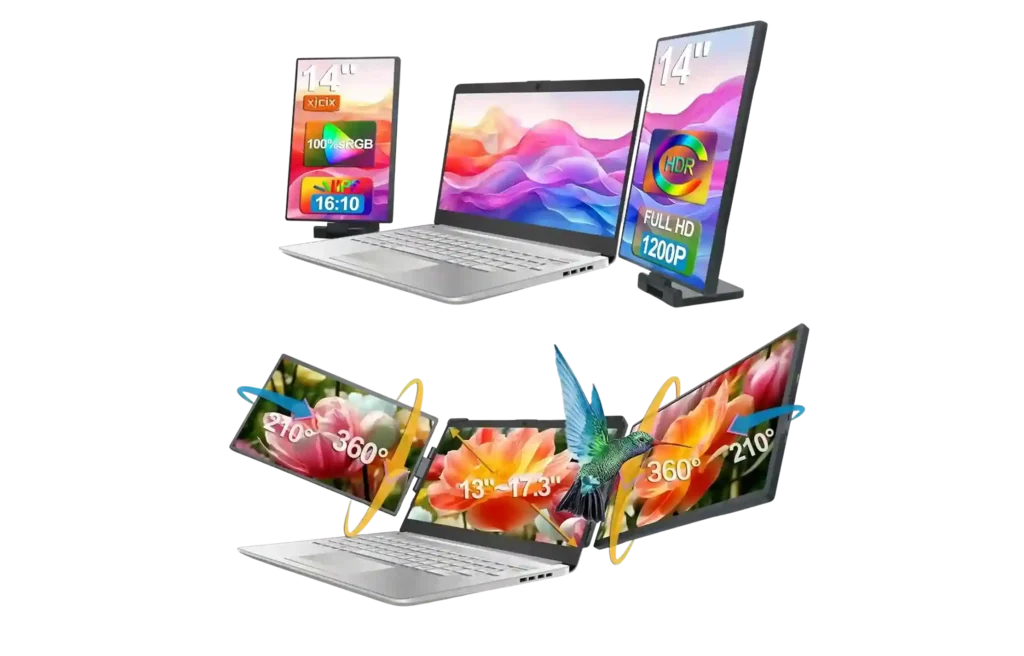
Portable USB-C Monitor – $200 to $400
Working off a single laptop screen for three weeks in a temporary apartment? Brutal. Just brutal. The ASUS ZenScreen plugs in with one USB-C cable, weighs under 2 pounds, and instantly creates a dual-screen setup on whatever flat surface is available. Kitchen table, ironing board, stack of moving boxes, doesn’t matter. It works.
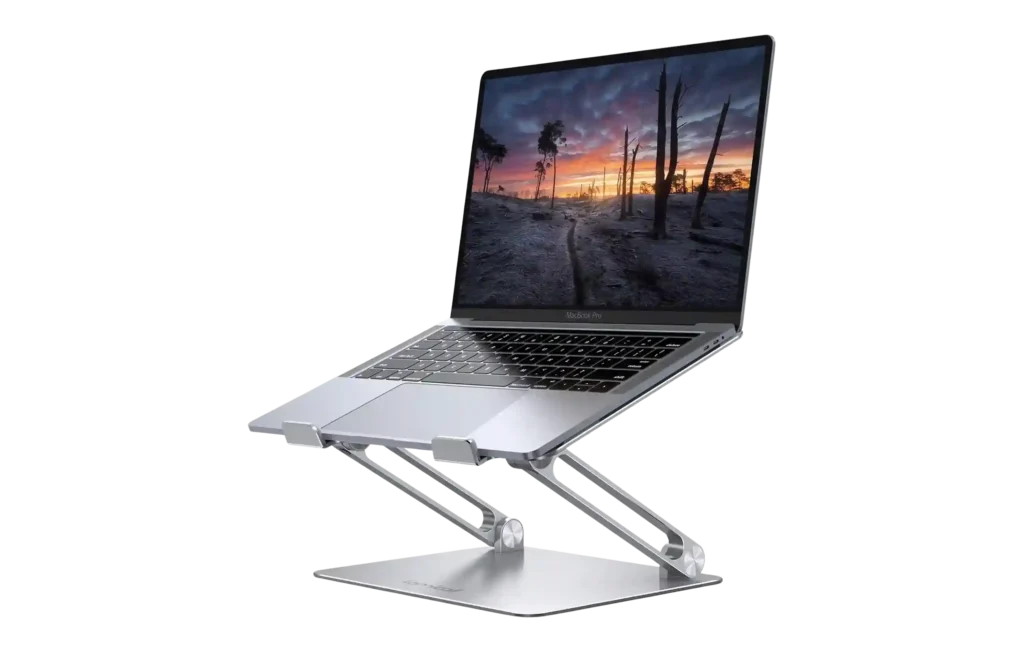
Foldable Laptop Stand – $30 to $80
Two weeks of working from a low coffee table, for example, will produce neck pain that lasts a month. For relocating professionals researching the best laptops for relocating professionals, ergonomics rarely makes the shortlist, yet it should. A laptop stand often costs less than a single physiotherapy appointment. The Roost V3 folds flat for travel, whereas the Rain Design mStand is sturdier but bulkier. In either case, both save necks. That is not an exaggeration.
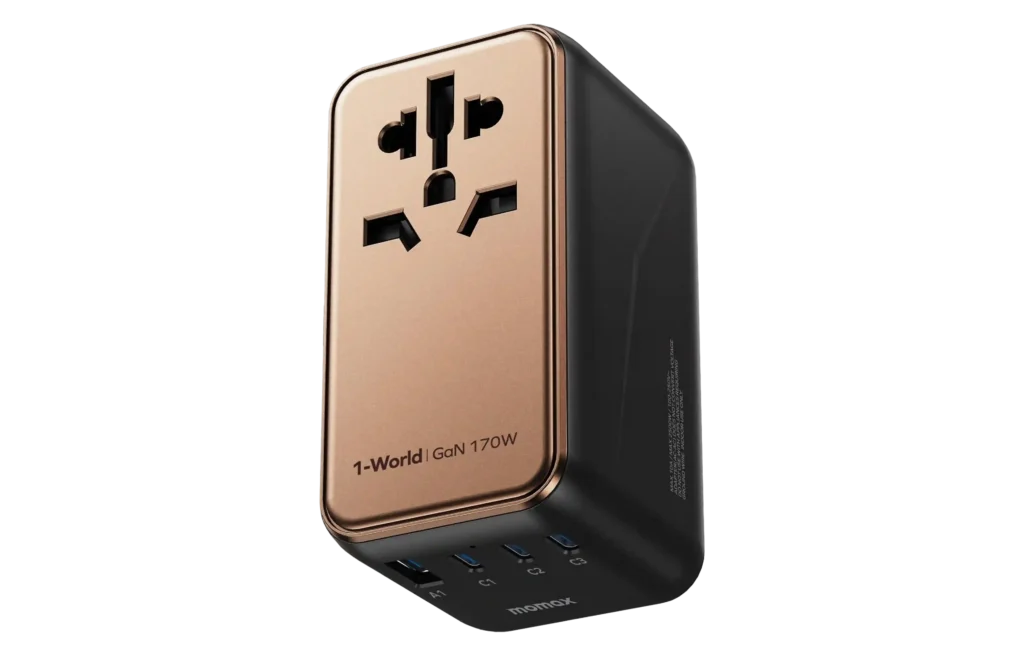
Universal Travel Adapter – $20 to $40
Moving internationally? In that case, the Epicka Universal adapter covers 150 plus countries, has USB C built in, and costs about $25 on Amazon. Moreover, all modern laptop chargers handle voltage differences automatically from 100 to 240V and simply need the correct plug shape for the destination country. Therefore, no voltage converter is required, just the adapter. Ultimately, there is no excuse not to own one.
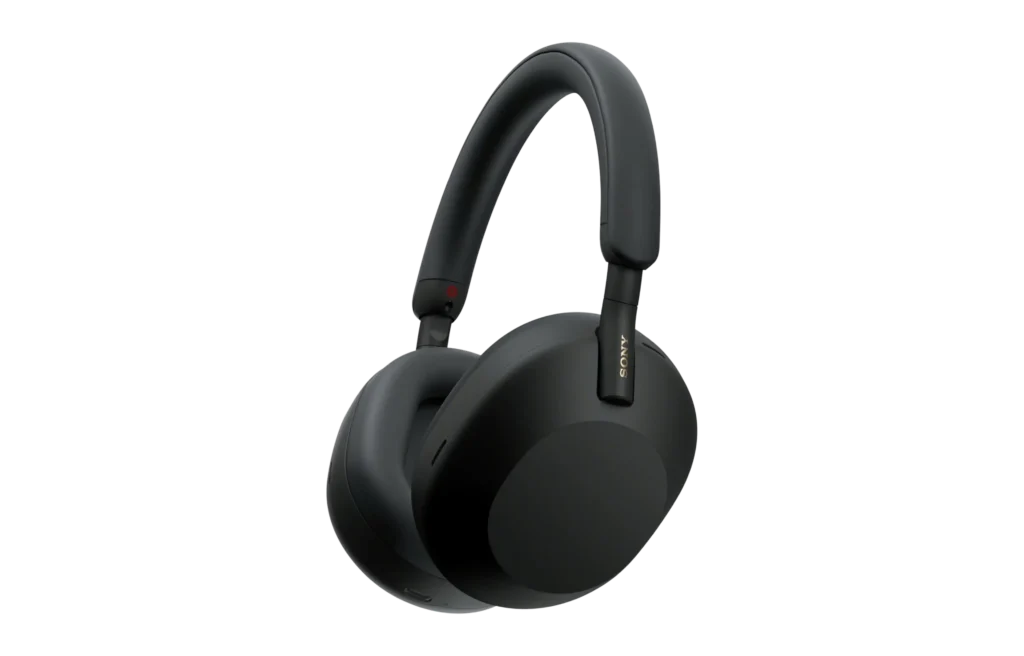
Noise-Canceling Headphones – $250 to $400
Temporary apartment with paper-thin walls. Neighbor’s TV is bleeding through at all hours. Construction outside. A dog that barks every time someone walks past. Now imagine taking a performance review call in that environment. The Sony WH-1000XM5 headphones make it survivable. World-class noise cancellation, comfortable for hours, and a mic quality that hides the chaos. AirPods Max for Apple ecosystem folks.
For a complete list of the best noise-cancelling headphones, click here.
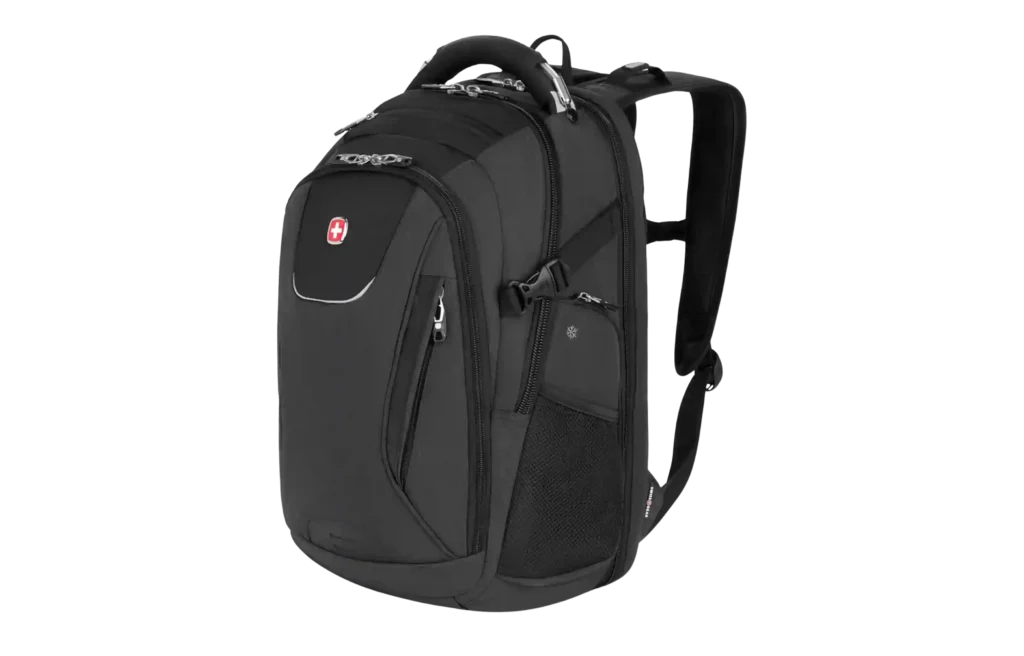
Tech Travel Backpack – $80 to $200
Not a fashion backpack. Not a hiking one. Instead, a proper tech bag with a padded laptop compartment, cable organization, and a TSA-friendly design. For example, the Peak Design Everyday Backpack nails it. Likewise, the Aer Travel Pack 3 is excellent. Both fit under airplane seats and, as a result, avoid the laptop removal routine at security. It seems small. However, it saves real frustration over dozens of airport trips.
Recommended read – 15 Best Lightweight Laptop Backpacks for Work (and Wanderlust)
Don’t Wreck the Laptop During the Move
Relocation chaos is rough on electronics, which is why choosing from the best laptops for relocating professionals is only half the job. Between airport security bins, moving trucks, taxis, and temporary housing, laptops take more stress in two weeks than in two years.
A cracked screen or damaged drive at this stage does not just cost money. It delays work, onboarding, and income –
It Stays With You. Period.
Not in the moving truck, not in checked luggage, and not in a box that feels padded enough. Instead, always carry it on your person. After all, moving trucks vibrate, baggage handlers throw things, and boxes get stacked wrong. As a result, one bad landing could leave you replacing a laptop in a city you barely know.
Back Everything Up the Night Before Moving Day
First, use cloud backup and an external SSD. Both, not one or the other. iCloud, Google Drive, or OneDrive for cloud storage. Samsung T7 or SanDisk Extreme for a physical copy. It takes about an hour. During relocations, things disappear. If the laptop is gone, the data should not be.
Subscribe for free and get proven relocation and travel strategies, personalized support, valuable rewards, and trusted reviews for every move.
Your email has been added to our list.
$35 Laptop Sleeve. Just Buy One.
For example, a Thule Gauntlet for hard shell protection or, alternatively, a Tomtoc 360 for something softer. Both cost under $40. Therefore, it is inexpensive protection. In fact, we have seen a bag fall off a luggage cart, and consequently, the sleeve took the hit, not the laptop.
Turn On Find My Device. Right Now. Not Later.
Next, enable Find My Mac or Find My Device on Windows. It takes just 30 seconds. During relocations, laptops get left in taxis and hotel rooms more often than expected. Therefore, set up remote location, remote lock, and remote wipe today.
Frequently Asked Questions (FAQ) About the Best Laptops for Relocating Professionals
1. Should the laptop be purchased before or after the move?
Before the move, give yourself two weeks to set it up while things are stable. Otherwise, setting up a new machine during unpacking and onboarding is exhausting.
2. Is AppleCare worth it specifically for relocating professionals?
Yes. In fact, a laptop faces more wear during a move than in years of desk use. Therefore, think of it as insurance for your most critical tool.
3. Will a laptop charger work in another country?
Yes. Modern USB-C chargers handle 100 to 240V automatically. You only need a plug adapter, not a voltage converter.
4. How much RAM is actually needed? Honest answer.
16GB works for most professionals in 2026. Choose 32GB for video editing or virtual machines. Avoid 8GB.
5. Single best laptop for someone relocating internationally as a digital nomad?
MacBook Pro 14-inch M5 offers strong battery life, global warranty coverage, and a lightweight build. However, if Windows is required, then the ThinkPad X1 Carbon becomes the closest equivalent.
6. Does Relo.AI help with remote work setup during relocations?
Yes. Relo.AI supports housing, financial optimization, settling in, and remote work setup, including guidance on the best laptops for relocating professionals, essential gear, and coworking options.
Move Smarter and Stay Productive From Day
Relo.AI helps professionals choose the right laptop based on how and where they are relocating, not just on specs. Therefore, your decision aligns with the destination country, employer requirements, service availability, and real workflow demands. Meanwhile, you avoid costly mistakes that surface only after landing.
From selecting the best laptops for relocating professionals to managing onboarding, housing search, cost of living strategy, and financial optimization, every stage of the move is structured with clarity.
Consequently, your relocation becomes operationally ready from day one.
Book a FREE call with us and make your move easier.
Bottom Line
Relocation reshapes how you work. Your routine disappears. Your environment shifts daily. The device you carry becomes your office, your bank branch, your housing portal, and your meeting room. That reality changes what performance truly means. Marketing specs do not define the best laptops for relocating professionals. They are defined by battery life, durability, global support, and stability under pressure. During a move, reliability matters more.
The right laptop works without friction, compromise, or doubt.
Affiliate Disclosure – This article contains affiliate links. We may earn a small commission at no additional cost to you if you purchase through our links. Please be assured that we only recommend products and services that meet our quality standards.